
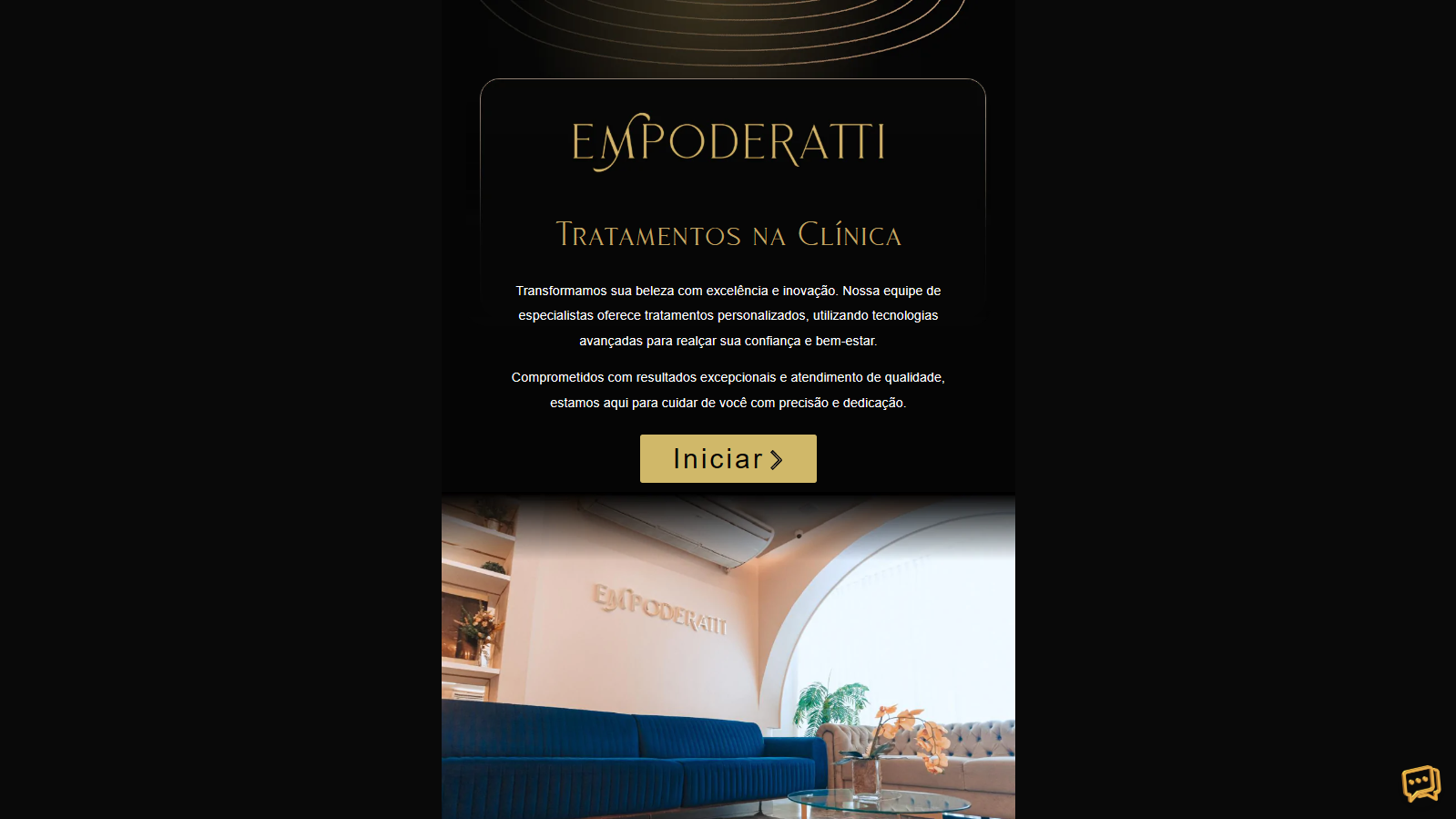
A WordPress flipbook that turns a clinic’s treatment menu into a tablet-ready catalog, managed by staff as ordinary posts and in daily use for about two years.
Project snapshot
Client: Clínica Empoderatti, an aesthetic clinic in Belém,Pará, Brazil
Project: Interactive treatment catalog (flipbook)
Year: 2024
Roles: Visual designer, WordPress developer: data model, templates and front-end integration
Stack: Figma, WordPress, JetEngine, Elementor, PHP, jQuery, Turn.js
Status: Live, still in use
Link: lp.clinicaempoderatti.com.br/catalogo
The challenge
Clínica Empoderatti wanted to hand clients a tablet with its full treatment menu that felt like flipping through a printed catalog. The clinic offers more than a dozen treatments, from laser hair removal and melasma care to ultrasound lifting and hair therapy, and the list changes as new equipment and protocols arrive.
Three constraints shaped the project:
- It had to feel like a book: One treatment per page, a cover, a back cover and a real page-turn animation.
- Staff had to maintain it themselves: Adding, editing or removing a treatment could not require a developer or a reprint.
- It had to work on tablets: The book needed to fill the screen and respond to touch, with no fixed dimensions.
The solution
I treated the flipbook as a presentation layer on top of ordinary WordPress content. Each treatment is a post in a custom post type, one Elementor template defines how every treatment page looks, and a page template loops through the posts and hands the result to the Turn.js library, which turns each one into a page of the book.
The result is a catalog where publishing a post adds a page, trashing a post removes it, and reordering posts reorders the book. The clinic never touches the flipbook itself, because there is no separate flipbook to manage.
Visitors can turn pages by dragging, with the Previous and Next buttons built into the template (labelled Anterior and Próximo), or with the left and right arrow keys.
How it was built
The build has four layers, each doing one job, and content flows through them from the WordPress admin to the screen.
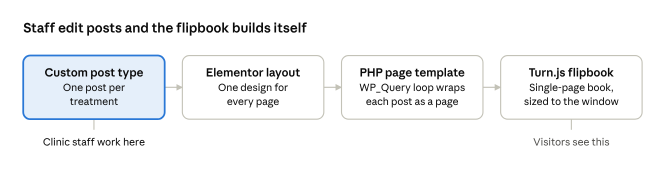
Staff only touch the first step; everything to its right is generated from their posts.
- Custom post type. A tratamentos post type holds one post per treatment, edited in the normal WordPress admin.
- Elementor template. A single template assigned to that post type defines the layout of every treatment page, so all pages stay visually consistent.
- Page template. A PHP template named “Tratamentos Flipbook” runs a WP_Query for all published treatments in ascending order. Each post is rendered through the Elementor template and wrapped in a div with the class page.
- Turn.js flipbook. The library turns those wrapped pages into a book in single-page display mode, centered, with its size recalculated from the browser window on load and on every resize.
Navigation comes in three forms. Dragging the page corner uses Turn.js’s built-in interaction. The Anterior and Próximo buttons in the Elementor template call the library’s next and previous methods. Arrow-key listeners do the same for desktop visitors.
The core of the page template is a short loop:
$query = new WP_Query( array( ‘post_type’ => ‘tratamentos’, ‘posts_per_page’ => -1, ‘order’ => ‘ASC’, ) ); while ( $query->have_posts() ) : $query->the_post(); echo ‘
‘; echo Elementor\Plugin::instance()->frontend ->get_builder_content( $template_id, true ); echo ”; endwhile;
Turn.js builds the book from the pages present in the page when it initializes, so the order of the posts is the order of the book.
Obstacles and how they were solved
Turn.js was built for static books, not for pages generated by a CMS, so three problems needed work.
Navigation buttons that stopped working. The Previous and Next buttons worked on the first pages, then stopped responding from the sixth treatment onward, even though the markup and classes were correct. I moved click handling to a delegated listener on the document, so the buttons kept working independently of Turn.js managed the pages.
Page turns that demanded too much dragging. On a touch screen, a short swipe left the page hanging half-turned, which made the catalog feel broken. I tuned the flip options and hooked the library’s turning event so a flip completes as soon as it starts.
One book for every screen. Turn.js expects fixed dimensions, but the clinic’s tablets and the visitors of the public site all have different viewports. A resize routine computes the book’s width and height from the window on load and on every resize, in single-page mode, so the catalog fills whatever screen it is on.
Results
The catalog has been in use for about two years, and the clinic is happy with it. It runs on tablets that clients can pick up and flip through, and it is also linked from the clinic’s own website, so patients can browse treatments from home.
- Self-managed. Staff add, edit and remove treatments from the standard WordPress admin, with no code changes and no developer visits.
- Complete. The catalog currently covers 17 treatments, from laser treatments and injectables to body and hair care, each on its own page.
- Durable. The integration is still running roughly two years after launch.
Skills demonstrated
- Content modelling. A custom post type and a bound template replace one-off pages, so the client’s content stays structured.
- Custom PHP and JavaScript. A theme-level page template, a query loop and front-end behavior that a page builder cannot produce on its own.
- Third-party library integration. Fitting a library built for static markup to dynamically generated WordPress content.
- Debugging. Tracing odd behavior, like the buttons that stopped working, to its cause instead of stacking workarounds.
- Client-ready handover. A result the client runs alone, using only the WordPress editor they already know.
Note: I designed the data model and templates myself and used an AI assistant to speed up troubleshooting the Turn.js integration, treating its suggestions as input to test.